Knowledge Base
How to change PHP Settings in DirectAdmin
Like MultiPHP INI Editor in cPanel, DirectAdmin introduced PHP Settings. Using the same option, you can manage various settings of PHP, such as managing memory limit, error reporting, etc. We'll teach you how to adjust PHP settings in DirectAdmin.
1. First, to login into DirectAdmin control panel visit,
https://your-domain.com:2222 or https://IP-address:2222 or https://server-hostname:2222.
2. Navigate to Account Manager → PHP Settings.
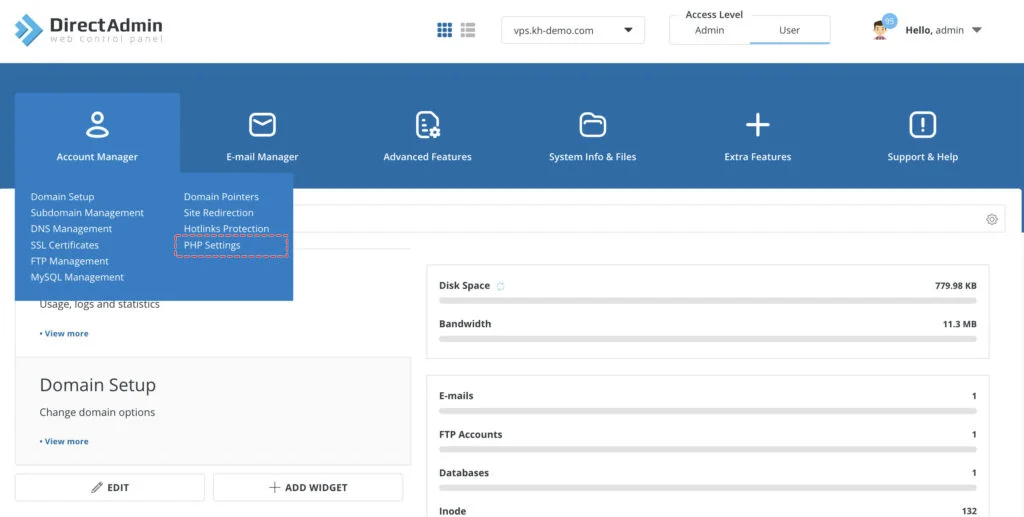
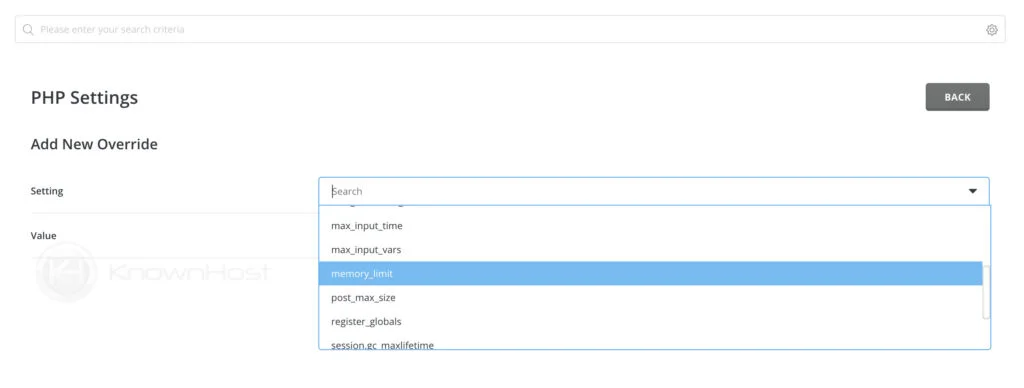
3. In the Setting option, you have a dropdown with many configurable options. For example, if you want to configure the memory_limit; select the memory_limit from the scrollable Setting option.
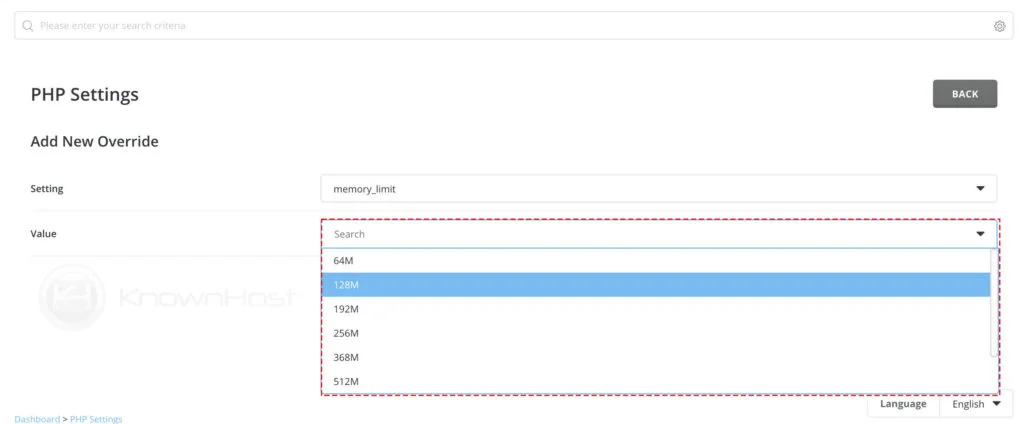
4. Next, enter the value for the selected Setting. For the example above, we have selected memory_limit. By default, the memory_limit comes with pre-defined values (64M, 128M, etc.), but also you can enter the custom value as per the requirements.
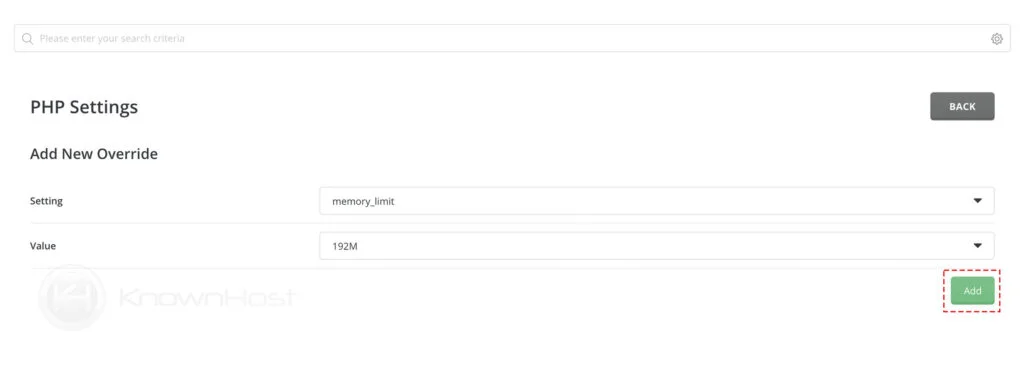
5. Finally, click on Add.
Using the PHP Settings you can configure/manage the following php settings,
| display_errors | error_reporting | file_uploads |
| include_path | log_errors | mail.force_extra_parameters |
| mex_execution_time | max_input_time | max_input_vars |
| memory_limit | post_max_size | register_globals |
| session.gc_maxlifetime | short_open_tag | upload_max_filesize |
| zlib.output_compression |
Conclusion
We’ve gone over how to adjust the PHP settings in the DirectAdmin control panel. For the development purpose and to meet the requirements for the development project, we might require updating the PHP settings, and the elaborated above steps will make sure to solve the problem.
Experience transparent, affordable hosting with flexible maintenance packages tailored to your actual needs. Pay only for what you use—no forced monthly fees for unused services—and receive dedicated support precisely when you need it. You’re not using Usijali Hosting for the best webhosting experience? Well, why not?
Reach out to our Sales team today and discover how Usijali Hosting can enhance your hosting experience. Unsure which hosting plan fits your project best? Our team will guide you through every step.